

Five internet safety tips to keep kids and teens safe online

Online safety is overwhelming for parents' especially as kids are using phones and Apps almost from infancy. There are things you can do to keep kids and teens safe online. Talk regularly, set parental controls, and make rules not guidelines. Here are five tips to help.
Stop on Red. Parents guide to web content blocking.

One of the leading questions for parents is. 'Are my kids okay to surf the internet? What can I do as a parent to protect them? What is the difference between free and paid web content filters?
Why Parents Find Online Safety Talks for Kids Invaluable

As a parent, it's time to have an online safety talk with your children. The internet has revolutionised how we communicate and access information. However, it's also a place where your children can see harmful content, cyberbullying, and online predators. By having a conversation about online safety, you can help them understand the potential risks and how to navigate the digital world safely.
The Dangers of TikTok for Kids: What Parents Need to Know

Parents need to be aware of potential dangers on TikTok, including cyberbullying, exposure to inappropriate content, and peer pressure to create and share inappropriate videos. Setting boundaries is vital to their child's use of the app.
Keeping YouTube Safe for Kids in 2022
YouTube is the 2nd most popular site on the internet. Here's an updated 2022 review on keeping your kids safe on YouTube, including a Restricted Mode and YouTube for kids. Is kid's YouTube safe at all. Do Google even care?
I got VPN for my gamer, will my parental control still work?

One question we get asked a lot is will VPN still work with my parental control? Here is why it works and why it is a great idea for your family's online protection, especially gamers on Fortnite, ROBLOX and Minecraft. I
The Best antivirus software for protecting your connected devices
You need the best online family anti-virus protection, we evaluated five of the best Norton, McAfee, etc. Here's our recommendation and it is no great surprise.
Setting Parental Controls on Windows 10

MS Windows 10 is the current operating system. Here's a screen by screen demonstration of how to set up parental control for kids internet safety. Note; only works on Microsoft products including Xbox.
Kids go around age verification
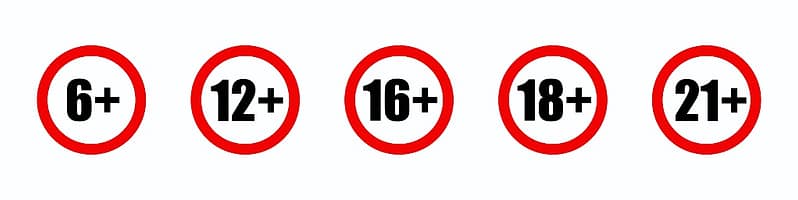
Kids can easily bypass the age verification on Snapchat, Instagram, TikTok, Facebook and WhatsApp lying about their age, according to a new research study. New 2021 study reveals that social media do not stop kids from lying about their age.
VPNs, V-Bucks, Fortnite, TikTok, Internet safety explained.

Kids bamboozled you with VPNs and V-Bucks? Makes you feel a bit out of your parenting depth keeping the kids safe online. Surveys find somewhere between half and a third of parents give up and let their kids use the internet without any restrictions. Don't give up!